Claude AI for Beginners (Who Are Done with ChatGPT)
Let's be real for a second. You've been in more AI tool situationships this year than you'd care to admit — three days of excitement, one underwhelming output, ghosted.
Here's the thing — most AI tools promise to "revolutionize your workflow" and then deliver the equivalent of a fancy autocomplete that talks too much. You paste in a prompt, you get a wall of enthusiastic but weirdly generic text back, and you spend the next 20 minutes editing it into something that doesn't sound like it was written by a corporate intern all jacked up on Mountain Dew.
I was stuck in that cycle too. Then I started using Claude.
Not because of some sponsored ad or the recent Claude craze. I started using Claude because I was genuinely frustrated with the AI tool I'd been using for over a year, and someone mentioned Claude in passing like it was a secret menu item at In-N-Out. So I tried it. And then I didn't stop.
This is Part 1 of a three-part series where I'm breaking down everything I've learned about Claude AI — from absolute scratch. No developer jargon, no "just connect to the API" nonsense, no assumptions that you already know what a token is. This is for creators, entrepreneurs, and solopreneurs who've heard the name "Claude" floating around and want to know if it's actually worth their time and their $20 (or if you’re as crazy as I am, $100).
Full disclosure: I applied to become an Anthropic partner and I'm still waiting on my acceptance letter. This isn't sponsored. I'm just someone who uses Claude every single day to run my business, and frankly, I’m hooked on phonics and cuckoo for cocoa puffs over this dude. Yes, dude.
Spoiler: He's worth it. Let me show you why.
So, WTF is Claude AI, Actually?
Claude is an AI assistant built by Anthropic — a company founded by former OpenAI researchers who left because they wanted to build AI differently. And before you glaze over at the corporate origin story, that "differently" part actually matters.
Where most AI companies are in an arms race to ship the flashiest features fastest, Anthropic's whole thing is building AI that's safe, honest, and actually useful without being reckless about it. Think of it as the difference between the restaurant that opens with fireworks and closes in six months versus the one that quietly perfects its menu and earns a five-year waitlist.
In practice, what that means for you: Claude doesn't hallucinate as aggressively as other tools. It tells you when it doesn't know something instead of confidently making things up. It follows nuanced instructions without you having to beg. And it writes like an actual human — not like a LinkedIn influencer who just discovered exclamation points!!
Claude has a desktop app for Mac and Windows, a mobile app, and a web version at claude.ai. Pick your poison.I personally live in the Mac app — it sits in my dock and I treat it like a coworker who never calls in sick. However you access it, the core experience is the same: you type, you talk, you get responses. No command line, no coding required. If you've used ChatGPT, the layout will feel familiar — but the conversation is going to feel verrrry different.
More on that in the migration section below. Buckle up.
What Claude Can't Do (Yet)
Claude can't generate images natively — there's no built-in DALL-E equivalent. It doesn't have an app marketplace like ChatGPT's GPT Store. And if you're someone who loves voice chatting with your AI, Claude's voice features aren't on the same level as ChatGPT's yet — you can't interrupt it mid-thought and have a natural back-and-forth conversation. The voice chat feature is actually the one thing I might miss a teensy little bit from ChatGPT, it was like talking to… dare I say it? A friend.
I'm telling you this upfront because every other 'beginner guide' out there reads like a scripted evangelist worship sermon. You deserve to know the trade-offs before you commit. The things Claude does do — writing, thinking, reasoning, creating, strategizing — it does better than anything else I've used. The gaps are real, but they're not dealbreakers. Not even close!
The $20 Question: Which Claude Plan Is Right for You?
Claude has three tiers: Free, Pro ($20/month), and Max ($100/month).
Here's the honest breakdown.
Free gets you access to Claude's base model (Sonnet), web search, file uploads, and a taste of what it can do. It's genuinely useful — not a crippled trial version designed to frustrate you into upgrading. But you'll hit usage limits faster than you'd like, especially if you start relying on it for real work.
Pro is where most creators should live. You get significantly higher usage limits, access to all models including Opus (Claude's most powerful brain), and priority access when things get busy. Twenty bucks. That's two oat milk lattes. For an AI that will draft your blog posts, brainstorm your product launches, and write your email sequences without making everything sound like a LinkedIn motivational poster.
Max is for people like me who are in Claude all day, every day, running their entire business through it. If you're just getting started, you don't need this yet. Trust me — start with Pro and upgrade when you feel the ceiling.
Picking a Model: The Coffee Order Analogy
Claude gives you three models to choose from, and yes, it actually matters which one you use.
Haiku is your espresso shot — fast, lightweight, gets the job done for quick tasks. Use it for simple questions, short rewrites, or when you need something done in two seconds and don't need it to be profound.
Sonnet is your daily driver. It's the model most people should default to. Fast enough, smart enough, handles 90% of what creators need without breaking a sweat.
Opus is the hand-poured single origin. Slower, uses more of your usage quota, but the depth and nuance are unmatched. I pull out Opus when I need complex strategy, long-form writing, or when I want Claude to actually think about something instead of just responding.
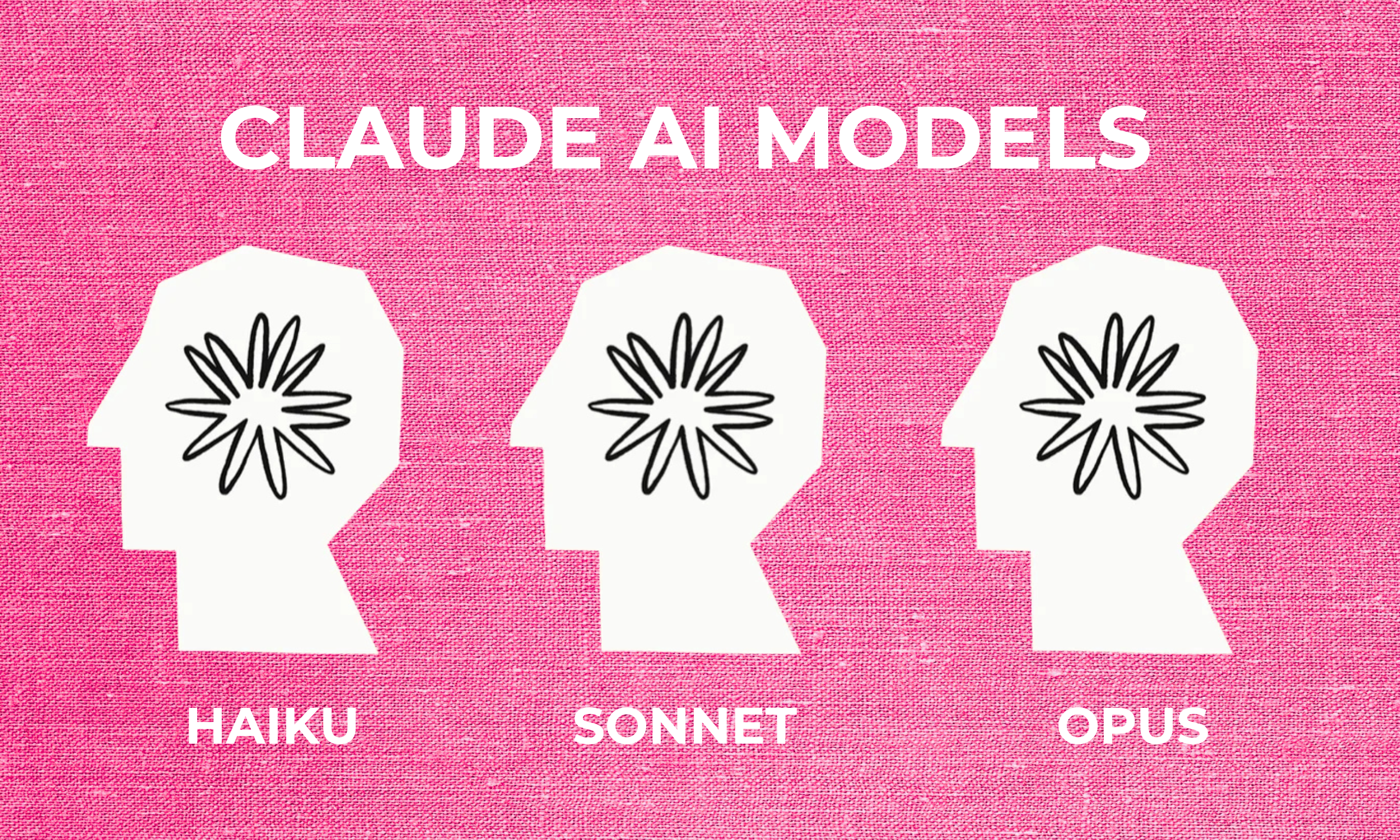
The three Claude models side by side, and in pink!
Setting Up Claude the Right Way
Here's what happens with most people: they sign up for Claude, type "hello," get a response, and think they're done setting up. They are not. That's like buying a new MacBook and never changing the wallpaper, setting up your dock, or turning off those notification sounds that make you want to throw it out the window. Don’t skip this stuff.
Claude has settings that actually matter, and skipping them is the difference between "this AI is okay I guess" and "I literally cannot work without this anymore."
Memory: Turn It On. Seriously.
Claude's memory feature lets it remember details about you across conversations. Your name, your business, your preferences, your tone, what you're working on. Without it, every single chat starts from zero. You're re-explaining who you are and what you do like it's a first date every time. Turn it on. Feed it context. Tell Claude about your brand, your audience, your goals. The more it knows, the less you have to repeat yourself. Memory is now available on all plans, including free!
Your Profile: Don't Leave It Blank
Claude lets you set profile information and custom instructions that carry across every conversation. This is where you tell Claude how you like to communicate, what kind of work you do, and any standing preferences. I have mine set up so Claude knows my brand voice, my audience, and that I don't want corporate-sounding output. Ever.
Starred Conversations & Organization
You're going to have conversations you want to come back to — brainstorming sessions, strategy breakdowns, content drafts. Star them. Name them clearly. Future you will be grateful when you're not scrolling through 200 untitled chats trying to find that one prompt that worked perfectly.
Want the complete setup walkthrough?
The Claude Creator Toolkit includes a step-by-step setup checklist so you don't miss a single setting that matters. Grab it (free) below and start optimizing your experience.
Switching from ChatGPT to Claude
If you're coming from ChatGPT, first of all — I get it. I was a loyal user for over 2 years. I defended it in group chats. I had custom GPTs. I was invested. So what I'm about to say comes from an honest place of love and lived experience:
ChatGPT trained you to prompt wrong.
Not on purpose. But ChatGPT's personality is... a lot. It over-explains. It over-apologizes. It starts every response with "Great question!" like a substitute teacher who's trying too hard. And because of that, you probably learned to write these overly structured, hyper-specific prompts just to get it to stop adding seventeen bullet points you didn't ask for.
Claude doesn't need that. Claude is the friend who actually listens. You can talk to it like a normal person — messy sentences, half-formed ideas, stream of consciousness — and it'll pick up what you're putting down.
The biggest mindset shift? Stop commanding, start collaborating. Instead of "Write me a 500-word blog post about X with these exact specifications," try "I'm working on a blog post about X and I'm stuck on the angle. Here's what I'm thinking — what do you think?" The difference in output quality will genuinely surprise you!
The Practical Switch
Here's the part nobody tells you: Anthropic actually built a memory import tool for this. Go to claude.com/import-memory, copy the prompt they give you, paste it into ChatGPT, and ChatGPT will dump everything it knows about you into a text block. Then you paste that into Claude and hit "Add to memory." Your preferences, your work style, your recurring topics — transferred in about 60 seconds. It's not perfect (it won't import your conversation history), but it means Claude isn't starting from zero on who you are.
A few things that'll feel different immediately: Claude doesn't pepper you with emojis. It doesn't give you unsolicited pep talks. It won't start responses with "Absolutely!" like it's being held at gunpoint to be enthusiastic. It reads the room. If you're being casual, it's casual. If you need depth, it goes deep. It matches your energy instead of performing its own.
That alone is worth the switch.
And wouldn’t you know it, daily sign-ups have hit record highs.
Pin this for later!
Would you do me a solid and pin this on Pinterest? It helps my content get discovered naturally, which is crucial for my business to grow.
Just hover over the top left and the Pinterest icon will appear, click it!
How to Prompt Claude (Without Being a "Prompt Engineer")
Let's kill a myth real quick: you don't need to learn some elaborate prompting framework to get good results from Claude. You don't need to memorize acronyms like C.R.E.A.T.E. or R.I.S.E. or whatever new one Brad from LinkedIn invented this week. You need to do one thing. Talk to it like a person.
Seriously. The single best prompting technique with Claude is just... being specific about what you actually want. Not robotic-specific. Human-specific. The way you'd explain something to a smart collaborator who just joined your team and needs context.
Here's what that looks like in practice:
Weak prompt: "Write me an Instagram caption about productivity."
Better prompt: "Hey Claude, I need an Instagram caption about productivity that doesn't sound like every other hustle culture post. My audience is tired of 'rise and grind' energy. Keep it under 150 words, conversational, maybe a little dry humor. Run my brand voice skill and use what you know about me to tailor it."
(Don't worry if "brand voice skill" sounds like gibberish right now. We're covering Skills in Part 2 and it's going to click.)
See the difference? You're not using a framework. You’re just giving direction. That’s it. That’s the secret sauce, my friends. If you won’t take it from me, take it from Anthropic’s official prompting guide.
Three Tricks That Changed Everything for Me
Ask Claude to ask YOU questions. Instead of trying to craft the perfect prompt upfront, say: "I want to create X. Before you start, ask me the questions you need answered to do this really well." Claude will interview you, and the output will be ten times better because of it.
Give it your brand context. Tell Claude your voice, your audience, your vibe. Or better yet, set this up in your profile so it carries across every conversation. Create skills for it! Claude with context is a completely different experience than Claude without it.
Iterate out loud. Your first prompt doesn't need to be perfect. Treat the conversation like a collaboration. "This is close but the tone is too formal" or "I like this part, expand on it" works beautifully.
Still want some prompts to start off with? I got you!
The Claude Creator Toolkit includes 20+ ready-to-use prompts for content creation, brainstorming, strategy, and social media. Never stare at a blank chat again. Grab it free below!
What My Actual Day with Claude Looks Like
I'm not going to give you some hypothetical "here's how a creator COULD use Claude" section. I'm going to tell you what I actually do, every day, running my business with Claude as a permanent member of my team.
I work in Claude's desktop app on my Mac. It lives in my dock. It's open before my email is. That's not an exaggeration.
Most mornings start with content. I'll brainstorm blog post ideas, outline a draft, or batch-create social media content for Threads, LinkedIn, and Instagram in a single conversation. I don't open four different tools for this. I open Claude. I tell it what I'm working on, it asks me the right questions, and we build it out together. Some mornings I'll walk in with half a thought ("I want to write something about AI tools for creators") and walk out with a full outline, a working draft, and caption variations for three platforms.
Then there's the business side. Email campaigns for Flodesk, Etsy listing optimization for my digital products, SEO research for blog posts, client proposals. Claude handles all of it. Not by replacing me, but by doing the heavy lifting so I can focus on the creative decisions that actually need a human brain.
The part that surprises people most? I use Claude to think. Not just to produce output, but to actually work through ideas. "Here's what I'm considering for this product launch. Poke holes in it." "I'm stuck between these two directions for my brand. What am I not seeing?" It's like having a strategist, copywriter, and brainstorming partner on call 24/7 who never gets tired and never judges your 2am ideas.
I'm not exaggerating when I say Claude has cut my content production time in half. Anthropic's own research found an 84% median time savings across tasks. The stuff that used to take me an entire afternoon (researching, outlining, drafting, editing) now takes me a focused morning session. And the quality is better because I'm spending my energy on direction and decisions instead of staring at blank pages with a loading cursor above my head.
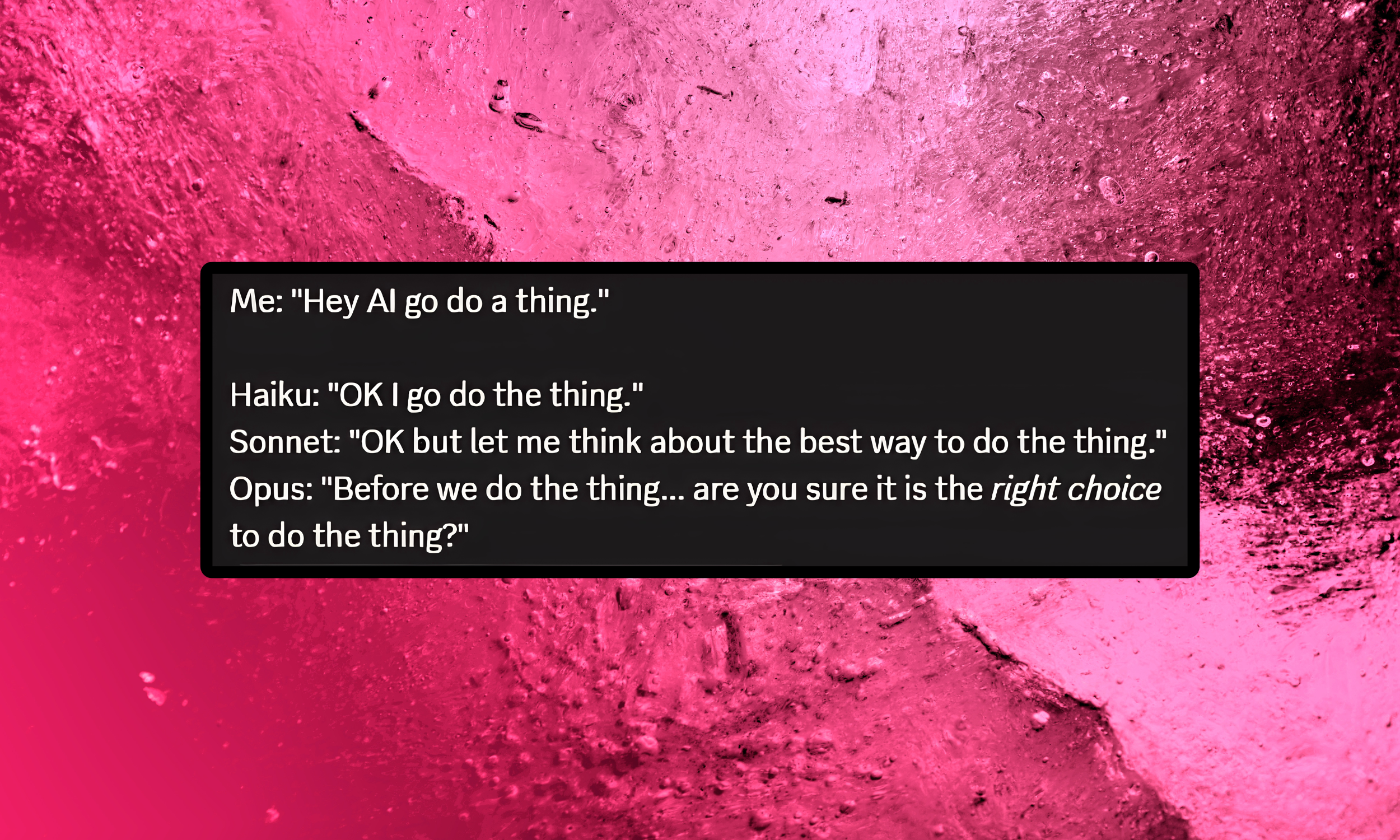
This one honestly made me laugh out loud.
Using Claude for Content Creation and Social Media Marketing
This is where Claude goes from "useful tool" to "how did I function without this."
If you create content for your business (and if you're reading this, you do), Claude can handle almost every stage of the process. Blog post ideation and outlining. First drafts that actually sound like you when it has your brand context. Instagram captions, Threads posts, LinkedIn content. Email campaigns. Product descriptions. SEO research. All of it, in one place, in one conversation.
Here's what makes it different from just using any AI to generate content: Claude doesn't just spit out text. It collaborates with you on the direction first. You can say "I want to write a post about why creators need to stop obsessing over follower counts" and Claude will ask you clarifying questions, suggest angles you hadn't considered, and then draft something that actually has a point of view. Not a generic listicle. Not a "Top 10 Reasons" piece that could've been written by literally anyone.
The batch content workflow alone changed my business. One focused morning session with Claude and I walk away with a week's worth of social content across multiple platforms. That used to be an entire week of work spread across three different apps.
And this is just scratching the surface. When you start using Claude Projects to build a brand knowledge base (your voice guidelines, your past content, your audience data), the output quality jumps dramatically. But that's Part 2 territory. For now, just know that if content creation is part of your job, Claude is about to become your favorite coworker.
What's Coming in Part 2
Everything we covered today? That's the foundation. You now know what Claude is, how to set it up properly, how to prompt it like a human, and how to actually use it to run your content workflow. That's more than most people ever figure out.
But we haven't even touched the features that made me lose my mind.
In Part 2, we're getting into Claude Projects (building a permanent brand brain that makes every conversation smarter), Artifacts (where Claude builds interactive tools and documents right in front of you), Skills (custom instructions that turn Claude into a specialized team member), and Cowork mode (which is honestly where the magic lives). It gets wild.
And then… yes, there’s a part 3! Claude Code. And I’m going to walk you through it from a non-developer’s POV. I couldn’t actually believe how easy it was to code some new pages I’m working on for my website, yep, the one you’re on right now!
Make sure you don't miss it. And if you haven't grabbed the Claude Creator Toolkit yet, now's the time. You're gonna need it!
Grab the free Claude Creator Toolkit!
Setup checklist + 20 creator prompts + daily workflow template. Don’t skip this one.
Frequently Asked Questions
-
Yes. Claude has a free tier that gives you access to Sonnet (its mid-tier model), web search, file uploads, and up to 5 Projects. It's genuinely functional, not a crippled demo.
But if you start using it for real work, you'll hit usage limits and probably want to upgrade to Pro ($20/month) for higher limits and access to all models including Opus.
-
It depends on what you need. For writing quality, nuanced reasoning, and following complex instructions, Claude consistently outperforms ChatGPT in my experience. ChatGPT still has the edge on native image generation and its voice conversation mode.
For creators and entrepreneurs focused on content, strategy, and brand work, I'd pick Claude every d*mn time.
-
Basically, yes. Claude has a built-in memory import tool at claude.com/import-memory that lets you transfer your preferences, work style, and context from ChatGPT in about 60 seconds.
Your full conversation history won't transfer, but the important stuff (who you are, how you work, what you care about) makes the jump.
-
Not at all. Everything in this guide (and Part 2) requires zero coding knowledge. Claude's chat interface works exactly how you'd expect: you type, it responds.
The desktop app, mobile app, and web version are all designed for regular humans, not developers.
-
Start with Sonnet. It's the default model, it's fast, and it handles 90% of what creators need without burning through your usage quota.
Save Opus for when you need deep strategy work or complex long-form writing, and use Haiku for quick simple tasks where speed matters more than depth.