The Best Creative Business Tech Stack for 2026 (20 Tools I Actually Use)
Every creator or creative business owner I know has the same freaking question rattling around their brain: “what tools are they REALLY using though?”
Not the sponsored "OMG I just discovered this amazing app…" posts where someone is clearly reading off a script for a brand deal they got through their manager.
The real ones. The tools, apps and saas that are open on your desktop at 11 PM on a Tuesday when nobody is watching and the content isn't going to make itself.
So here it is — every single thing I use to run Studio Brittany in 2026. What I pay (and boy, do I pay), what I love, what I love AND hate simultaneously, and what makes me want to yeet my macbook into a lake of fire. The creator economy is projected to reach $480 billion by 2027, and you can bet your fine *ss that most of that revenue will be going towards their subscriptions.
No fake endorsements, no "use code blahblahblah for blah% off” on something I tried once for a sponsored post and never opened again. I don’t roll that way, everything here are the tools I legitimately use every week. The honest-to-god ‘stack from someone who tests everything that sparks (even just a little) joy with zero chill… so you don't have to.
Pin this on Pinterest for later and to share! Hover over the top left, and the Pin icon will appear.
Design & Content Creation Tools
This is where the whole "making sh*t that slaps" thing happens. The creative playground. The reason my screen time report looks like a cry for help. I use a chaotic but intentional mix of tools depending on whether I'm designing templates for the shop, editing yet another f*cking Reel at midnight, or retouching AI-generated photos because the hands looked like eldritch horror. Plot twist: They always look like eldritch horror.
Canva Pro (Business) — My daily driver for social graphics, presentations, template products, and quick mockups. Is it perfect? Absolutely not — I have a running list of complaints that I update quarterly like a deranged Canva grievance journal.
Does it run 70% of my visual output anyway? Unfortunately, yes. The Brand Kit feature alone justifies the Business tier when you're managing client assets alongside your own (I can switch between brand palettes, logos, and font sets without rebuilding everything from scratch, which used to make me want to scream into a throw pillow).
The template resizing is also clutch for repurposing one design across Instagram, Pinterest, and LinkedIn in about 30 seconds flat.
If you're a creator making any kind of visual content, you probably already have this. If you don't, start with the free tier and upgrade when you inevitably hit the wall. You will hit the wall. We all hit the wall. But it’s okay. Wall is friend.
Adobe Creative Cloud (Lightroom, Photoshop & Illustrator) — For the stuff Canva genuinely cannot touch, no matter how hard it tries. Lightroom is where all my photo editing and AI image post-processing happens — batch editing presets, color grading, and the detail-level retouching that Canva's photo editor pretends to do but absolutely does not. (Canva's photo editor is the participation trophy of image editing. I said what I said.)
Photoshop handles compositing and anything that requires precise layer work, and Illustrator comes out when I need vector assets that don't look like they were pulled from a template pack called "Aesthetic Business Graphics Vol. 3" — brand marks, custom icons, print-ready files. You knowwww.
Here's the duality: I love what Adobe can do. I genuinely love it. But Adobe's subscription model? That's $659.88 per year — for those keeping score at home — and their cancellation fees are the stuff of nightmares. I complain about it on a monthly basis when that charge hits my card. But nothing else delivers the same quality, so here we are, I guess, handing Adobe our money and feelings every 30 days, I guess.
CapCut — My go-to for video editing and honestly the reason I stopped having a full existential crisis every time I needed to make a Reel. The auto-captions are genuinely good — not "good for a free tool" good, not "good if you squint" good — actually good. The templates save hours of editing time, and the free-to-cheap pricing is almost suspiciously generous (I keep waiting for the other shoe to drop, ByteDance, what's the catch).
I use this for every Reel, every TikTok, and most of my short-form video content. The learning curve is basically nonexistent compared to Premiere Pro, and for social video? I don't need Premiere Pro. Nobody needs Premiere Pro for a 30-second Reel. That's like renting a U-Haul to move a houseplant. If you're creating any kind of short-form video and you're not using CapCut, you are making your life harder for literally no reason and I need you to stop that immediately. Stop it!
Instagram Edits App — Meta's native video editing app, and I'm still in my guinea pig era with this one (because obviously I downloaded it on day one with zero chill, tested it immediately, and started collecting data like a deranged social media scientist).
The theory is that Instagram's algorithm rewards content created with native tools — because of course it does. Meta wants you in their ecosystem so badly they'll bribe you with reach. The editor itself is... decent? Not as feature-rich as CapCut by a long shot, but the direct-to-post workflow eliminates a step, and if the algorithm boost is real, that trade-off might be worth it.
Jury's still very much out. I need someone at Meta to look me in the eyes and confirm whether this algorithm boost is real or just marketing hype designed to get creators to abandon third-party tools. I'll update this section once I have more data. Speaking of data, did you know that 85% of social media videos are watched without sound?
For now, I'm testing it so you don't have to risk your content strategy on Meta's word alone. Though, when has trusting Meta's word alone ever gone well for… anyone?
Marketing, Email & Social Media Tools
This category is where most of my affiliate links live — because these are the tools I genuinely cannot shut up about. I will corner you at a coffee shop and monologue about email marketing platforms unprompted. (Ask anyone who knows me. It's a problem.) If it's on this list, I use it daily, I've tested the alternatives, and I have opinions. So many opinions.
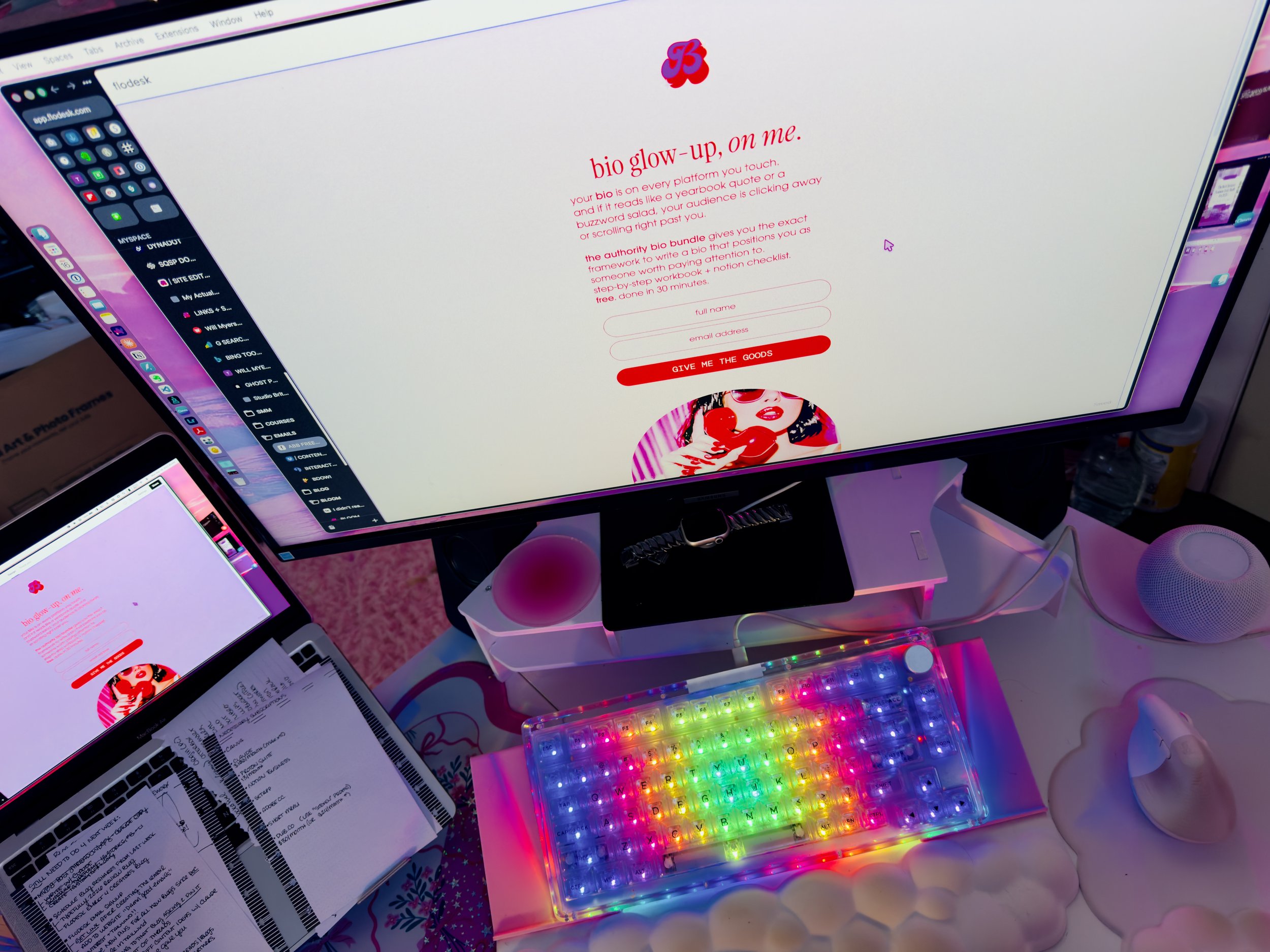
Real image of my live workspace looking at my new Flodesk landing page. Forgive the messy notes!
Flodesk — My email platform, my ride or die, and the hill I will literally perish on. I will haunt this hill as a ghost, still recommending Flodesk from the afterlife.
Beautiful emails without fighting a clunky drag-and-drop builder that makes you want to close your laptop and take up farming instead, flat-rate pricing that doesn't punish you for growing your list (looking at you, Mailchimp — charging people more money for being successful? In this economy? The audacity.), and workflows that actually work the way your brain expects them to instead of requiring a PhD in "why won't this automation trigger."
I use Flodesk for every welcome sequence, product launch, newsletter, and automated funnel. The templates are gorgeous out of the box, the segmentation is simple enough that I actually use it instead of guiltily ignoring it for six months, and the analytics tell me what I need to know without drowning me in data I'll never look at.
I have literally evaded email marketing since 1992 and willingly so. “Don’t f*cking talk to me about my email list” used to be my mantra. It was my AIM away message. The letter in a bottle I floated out to sea when I was stranded on that island. Flodesk changed all that, and now I won’t shut up about emails lists. Times are a changin’, and you gotta join my email list!
But yeah, dude, if you're still getting nickel-and-dimed per subscriber on another platform, this is the first switch I'd make. Not the second. The first. And then make it again, just to commit harder. Email still drives an average of $36 for every $1 spent, so you’re missing out on real revenue if you’re as anti-emails as I was.
Want the full deep dive? I wrote a complete Flodesk review breaking down pricing, templates, workflows, and why I left Mailchimp without looking back. Read it here!
Semrush — The SEO backbone of my entire blog strategy and the reason my posts actually rank on Google instead of floating in the internet void screaming into the abyss where no one can hear them. I use it for keyword research before every single blog post, site audits to catch technical SEO issues I'd literally never find on my own (broken links? orphan pages? cool cool cool, love that for me), competitor analysis to see what's actually working in my niche, and position tracking to watch my rankings climb over time.
Here's the duality moment: I love the data. The data is unmatched. Chef's kiss. But the interface? The interface could use a hug, a therapist, some Adderall, and a complete redesign. It's dense, it's overwhelming, and the first time you log in you will absolutely think "what the h*ll am I looking at."
Power through. Learn it. Because if you're serious about blogging as a traffic and revenue channel (and not just journaling for the internet), Semrush is the difference between guessing and knowing. And guessing is expensive.
Typefully — Where I draft and schedule everything for Threads, LinkedIn, and X, and the tool that finally made me stop treating "copy-paste from a Google Doc into four different apps" as a legitimate social media strategy. (It was not a legitimate social media strategy. I was just in denial.)
The interface is clean, there's zero bloat — no nine-tab dashboards, no features you'll never use cluttering up your workspace — and the analytics actually tell me something useful instead of just showing vanity metrics that mean nothing.
I can write a post once and cross-post to multiple platforms with minor tweaks, and the drafting experience feels like writing in a notes app instead of fighting a social media management platform that was clearly designed by someone who hates smiling, laughter and joy. If you're posting on text-based platforms, Typefully. Just... Typefully. Type… fully!
Want the full breakdown? I wrote an entire review on Typefully, including what I love, what I'd change, and exactly how I use it to run my content across every text-based platform. Read it here!
Tailwind — My Pinterest-specific scheduling tool, and yes — I know what you're thinking — Pinterest?? In 2026?? Hear me out. Pinterest still drives real, actual, measurable traffic to blog posts. It's a search engine wearing a mood board costume, and creators who ignore it are leaving free traffic on the table like absolute fools. I say this with love.
Tailwind Communities (formerly Tribes) are still one of the best ways to get your pins in front of new audiences, and SmartSchedule takes the guesswork out of timing by posting when your audience is actually online instead of when you randomly remembered Pinterest exists.
I batch-schedule a month of pins at a time, which means Pinterest runs on full autopilot while I focus on things that require my actual brain. Set it, forget it, watch the blog traffic roll in. That's the dream and Tailwind makes it real. I think I just convinced myself of it’s worth all over again.
Buffer — My backup scheduler and the one I recommend to creators who are just getting started and are overwhelmed by all the social media management options (there are approximately nine thousand of them and they all claim to be "the only tool you'll ever need" which is a LIE).
Buffer is simple, it's affordable, and it doesn't try to be everything — which is exactly what you need when decision fatigue has you paralyzed. I keep it around for quick scheduling when Typefully or Tailwind isn't the right fit, and the free tier is generous enough to actually use without immediately hitting an upgrade wall.
Not the flashiest tool on this list, but sometimes "simple and it just works" is the whole *ss point. Not everything needs to be complicated, babe. Simple is good, and it works.
Flick — Hashtag research and Instagram analytics that go deeper than what the native app gives you (which, let's be honest, is a bar so low it's underground). I use Flick to find hashtags that actually have a shot at ranking instead of slapping #love #inspo #blessed on everything and then wondering why my reach looks like it was calculated by a broken abacus.
The performance analytics show me which content types are working and which are absolute flops — and more importantly, why they're flopping, which is the information that actually matters.
The AI caption assistant is also surprisingly not terrible? I don't use it for final drafts because I have a voice and a personality that AI can't replicate (yet), but it's a solid starting point when I'm staring at a blank caption field at 9 PM wondering if I've ever had an original thought in my life.
ManyChat — DM automation for Instagram, and the engine behind every "comment [WORD] to get the link" post you've ever seen in your feed and thought "I should figure out how to do that." This is how you do that. People comment a keyword, they get an instant DM with whatever you're offering — a freebie, an affiliate link, a waitlist signup — and your engagement metrics go up because Instagram's algorithm loses its entire mind over comments. I don't make the rules. I just exploit them. Strategically.
ManyChat makes it genuinely easy to set up these automation flows even if you've never touched an automation tool in your life and the word "workflow" makes you break out in hives. The ROI on lead generation alone pays for the subscription multiple times over.
If you're doing any kind of Instagram marketing without DM automation in 2026, you're essentially doing manual labor that a robot could handle while you go live your life. Stop that. Go get some sun.
Want to see exactly how I use these tools together without losing my d*mn mind? Same.
Productivity & Behind-the-Scenes Tools
The unsexy-but-absolutely-critical stuff that keeps the entire operation from collapsing into a flaming dumpster fire. Nobody talks about these tools at parties (and if they do, you should marry that person), but they're the reason I can run a one-person studio without completely losing my d*mn mind. Key word: completely. Partially lost mind is just the cost of doing business as a solopreneur.
Notion (Business + AI) — My second brain, my external hard drive for thoughts, my "if this app disappeared tomorrow I would genuinely not know how to function as a human being" tool.
Content calendar, project management, SOPs, client portals, brain dumps, resource libraries, my entire life's operating system — it all lives in Notion. I run the full Studio Brittany operation out of one workspace, and the fact that it's endlessly customizable means it actually fits how my ADHD brain works instead of forcing me into someone else's rigid, neurotypical workflow that makes me want to throw things. Looking at you, every project management app with mandatory linear task lists.
The AI add-on is genuinely useful for brainstorming when I'm staring at a blank page with the creative energy of a wet paper towel, summarizing long notes, and generating first drafts I can actually work with. I pay for the Business tier because I need the advanced permissions and API access for automations — and no, the free tier isn't enough if you're running an actual business. That said, the free tier is absurdly generous for getting started. Start there. You'll upgrade when you're ready.
Setapp — This is the big one. The one people always DM me about. The one I will not shut up about at literally any opportunity. Setapp is a single subscription that gives you access to 240+ premium Mac apps for one monthly fee — and if the math isn't mathing for you yet, let me help: instead of buying CleanMyMac ($40), Bartender ($16), Paste ($30), Soulver ($35), Ulysses ($50), and dozens of other apps individually, I pay one flat price and get ALL of them.
The savings are genuinely hundreds of dollars. Hundreds. I discover new useful apps constantly just by browsing what's included, which is either a feature or a problem depending on how you feel about me downloading new tools at 1 AM. (It's a feature. It's always a feature. I'm a guinea pig, remember?) Considering the average company wastes 30-50% of its SaaS budget on unused licenses, $13.99 for a whole library of apps doesn’t seem so bad.
If you're on a Mac and you only take one recommendation from this entire post, make it this one. Before Canva, before Notion, before any of it. The value-per-dollar ratio is borderline unhinged in the best way possible (!!!).
Squarespace — My website lives here, and I can already hear the WordPress girlies cracking their knuckles getting ready to type a paragraph in the comments. Go ahead. I've heard it all. But here's the thing — Squarespace gives me a beautiful, professional site without needing a developer on retainer (expensive), without managing hosting and security updates myself (tedious and terrifying), and without the plugin compatibility nightmares that made me rage-quit WordPress in the first place.
If I ever have to see "there has been a critical error on your website" again I will simply pass away. The SEO capabilities have improved dramatically — it's not 2019 anymore, the Squarespace SEO is actually competitive now — and for a solo creator who wants to focus on content and design instead of debugging PHP errors at midnight, it's the right call.
Not the cheapest option, I'll give the WordPress crowd that, but the time I don't spend troubleshooting is time I spend making money. And the math on that is very clear.
Claude Max — My AI co-pilot, my 3 AM brainstorming partner, and honestly the tool that has had the single biggest impact on my workflow this year. And I'm not just saying that because I sound like every other creator doing a sponsored AI post — there is no sponsorship here, no affiliate link, no bag. This is a "this tool fundamentally rewired how I work and I genuinely cannot go back" situation.
I use Claude for brainstorming content angles when my brain is empty, writing actual code for my website (CSS, automations, integrations — things I would have hired out before), debugging workflows, and thinking through business strategy at a level that used to require a $200/hour consultant.
It's replaced at least three separate tools I used to pay for. Cowork and Code alone are almost all I need. The quality of output is noticeably, measurably better than the alternatives I've tested. If you're a creator who writes, strategizes, or builds anything, which is... all of you… an AI co-pilot isn't a fun extra anymore. It's infrastructure.
Arc Browser — Arc's Spaces feature fundamentally changed how I organize my entire workday, and my ADHD brain has never been the same (in a good way, for once).
I have separate spaces for Studio Brittany, client work, and personal browsing, which means I'm no longer staring at 47 tabs from three completely different life contexts all screaming for my attention simultaneously while my brain tries to context-switch between an Etsy listing, a client invoice, and a YouTube video about why I can't focus, (The irony was not lost on me).
The split-view feature is also incredible for reference work — blog research on one side, writing on the other. It's free, it's fast, and it's one of those tiny upgrades that has a disproportionately massive impact on actual, tangible focus. ADHD brain tested, ADHD brain approved. If you, too, have the attention span of a caffeinated sugar glider, this browser gets it.
1Password — Non-negotiable. Full stop. I don't care if you take nothing else from this post — if you are running a business online and you are still using the same three passwords across every platform with minor variations (don't look at me like that, I know you are), you need a password manager yesterday.
Every login, API key, client credential, and sensitive note lives in 1Password. I don't have to remember a single password, I don't reuse credentials across platforms (because that is literally how you get hacked and then cry about it on Stories), and sharing secure credentials with contractors takes two clicks instead of a sketchy text message that lives in someone's phone forever.
No affiliate link. No commission. Just common sense, basic security hygiene, and a genuine "please protect yourself" from someone who has seen too many creators get their accounts compromised because their password was their dog's name plus an exclamation point. 61% of small businesses experienced a cyber-attack last year, don’t be one of them.
Monetization & Link Management
The tools that help me actually make money from all the content I'm creating. Because aesthetic vibes and "building community" don't pay the rent, babes. You can have the prettiest feed on the internet and still be broke if you're not monetizing strategically. These tools make that part less painful. (Still a little painful. But manageable-painful instead of existential-crisis-painful.)
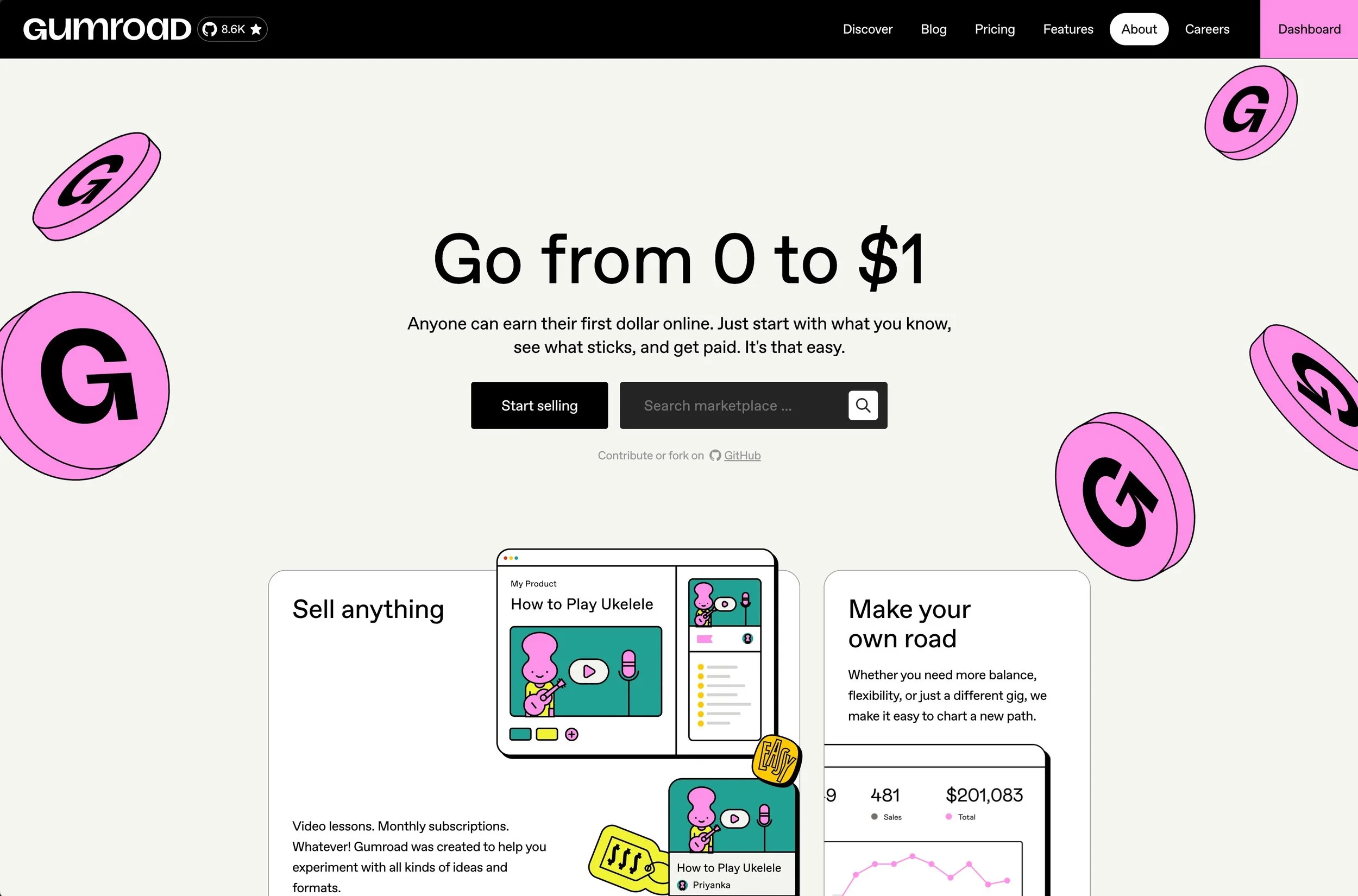
My favorite platform to sell digital products on, Gumroad!
Gumroad — Where I sell digital products, and the platform I keep crawling back to despite periodically trying alternatives and then going "...okay, fine, Gumroad, you win this round." The checkout experience is dead simple for buyers (no 17-step purchase flow, no "create an account to continue" hostage situation), the digital delivery is instant and reliable, and the Gumroad Discover feature actually brings in organic buyers who weren't already in my audience — which is basically free marketing and I am not above free marketing.
The fees? Not my favorite thing. They take a cut of every sale, and watching that deduction hit is a tiny monthly emotional event. But WHO DOESN’T TAKE FEES?! The simplicity of setup and the built-in audience discovery make the trade-off worth it.
If you're selling digital products and you don't want to build an entire e-commerce site with a shopping cart and payment processing and all that infrastructure nonsense, Gumroad gets you from "I made a thing" to "people are buying the thing" in about 10 minutes flat.
ShopMy — My affiliate storefront for physical product recommendations, and the platform that finally makes sharing curated product picks feel on-brand instead of like you're running a late-night infomercial from your Instagram bio. (We've all seen those link-in-bio pages that look like a digital yard sale. No shade. Okay, some shade.)
I use ShopMy to create organized, actually-aesthetic collections of products I use and recommend — desk setup, tech gear, office supplies, the random kitchen things I've mentioned in Stories — with trackable affiliate links for each one. The commission rates are solid, the analytics show me exactly what people are clicking on (fascinating and slightly voyeuristic data, honestly), and the interface doesn't make me want to scream into my keyboard.
If you're recommending physical products anywhere in your content and you're not monetizing those mentions, you are leaving money on the table. ShopMy picks that money up for you.
Check out my own ShopMy storefront here.
Bloom — Creator monetization platform for invoicing, contracts, and media kits — aka the "make your business look like it has its sh*t together" tool. If you're doing brand deals or freelance work alongside your creator business, Bloom keeps everything looking polished and professional without the overhead of a full accounting suite or hiring a bookkeeper you can't afford yet.
I use it to send branded invoices that don't look like they were made in Microsoft Word 2003, manage contracts without spending $400 on a lawyer every time, and create media kits that would never be mistaken for something I threw together in Google Docs at 2 AM while questioning all my life choices. (We've all been there. No judgment. But we're done with that era.)
It's built specifically for creators, so the features actually make sense for how we work — not how some corporate finance bro thinks we should work.
Dub.co— Link management and analytics, and the reason I know exactly what's converting and what's dead weight instead of just... hoping. (Hope is not a strategy, babe. Hope is what you do when you don't have data. We have data now.)
I use Dub for every affiliate link, campaign link, and bio link — custom short URLs that actually look professional instead of those nightmare-length UTM parameter monstrosities, QR codes for print and events, and click tracking that updates in real time.
The analytics dashboard tells me which links are getting clicks, where the traffic is coming from, and — most importantly — what's actually driving revenue versus what's just sitting there doing nothing. If you're using raw affiliate URLs or a basic link shortener with zero analytics, you are flying blind in a monetization thunderstorm.
Dub gives you the receipts so you can double down on what works and mercilessly cut what doesn't. Data-backed rebellion, baby.
The Bottom Line (Read This Part, Seriously)
Before you go copy-pasting all 20 of these tools into a spreadsheet and signing up for everything simultaneously — please don't. I'm begging you. Nobody needs every tool on this list on day one, and if you try to implement all of them at once, you will burn out, overspend, and end up using none of them. Starting out? Canva free tier, Notion free tier, and Flodesk. That's your foundation. That's the starter pack. Everything else gets layered on strategically as your business grows and your actual needs demand it. Don't let FOMO make your financial decisions.
I'll update this post as my stack inevitably evolves — because I have zero chill when it comes to testing new tools (it's a personality trait at this point, not a choice), and I will absolutely swap something out the second a better option crosses my desk. Everything on this list earned its spot by surviving my ruthless, ongoing, slightly unhinged vetting process. These are the survivors. The ones that made it through the gauntlet. Respect.
Building your creator toolkit and don't want to waste money on tools you'll abandon in three weeks? Been there. Many times. Learned the hard way… again, so you don't have to.
Frequently Asked Questions
-
Roughly $350-450/month depending on billing cycles, and yes, I winced typing that number. But most of these tools pay for themselves through the content, traffic, and revenue they generate. Small businesses typically spend 6-12% of revenue on software, and I’m one of them.
You don't need all of them — start free where you can and add tools as your business actually needs them.
Don't let a tech stack blog post (including this one) pressure you into overspending.
-
Notion. No hesitation. The free tier is absurdly generous and it replaces your project manager, note-taking app, content calendar, and wiki in one place.
You could run an entire business out of free Notion for months before ever needing to upgrade.
Second place? Setapp, if you're on a Mac — the value per dollar is unhinged.
-
Not every single one daily, but all of them at least weekly. I have a strict "if it sits untouched for a month, it gets cut" policy because I refuse to pay for digital shelf dust.
Everything on this list survived the audit. These are the ones that earned their place.
-
Sanity preservation, babe. WordPress is powerful — I'm not going to pretend it's not — but I don't want to manage hosting, troubleshoot plugin conflicts, or deal with security updates at midnight.
I left WordPress after one too many "critical error" screens and I have not looked back. Squarespace lets me focus on content and design, which is where I actually make money.
-
One subscription, 240+ premium Mac apps, one monthly price.
If you'd buy even 3-4 of the included apps individually (CleanMyMac, Bartender, Paste — that's already $80+), Setapp saves you money immediately.
It's consistently one of my highest-value subscriptions and the one I recommend most aggressively. I won't shut up about it. Ask anyone.
-
Some are — I may earn a small commission at no extra cost to you. But here's the thing: every tool earned its spot on merit, not commission rates.
There are tools on this list with zero affiliate link (Canva, Claude, Arc, 1Password, Gumroad) because I genuinely use them and I'm not going to pretend they don't exist just because they don't pay me to mention them.
That's not how we do things here.